WiserFisher Bite Alarm - User Guide

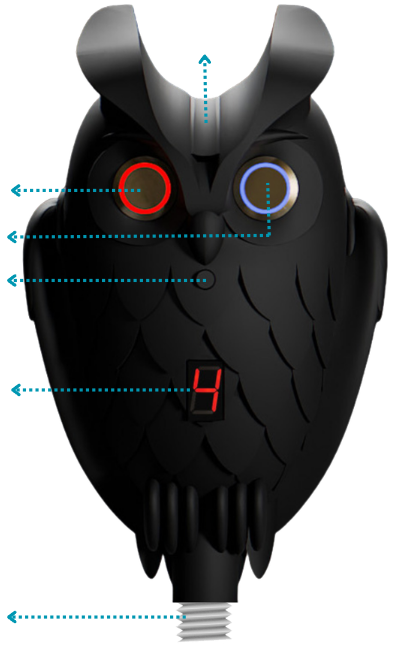
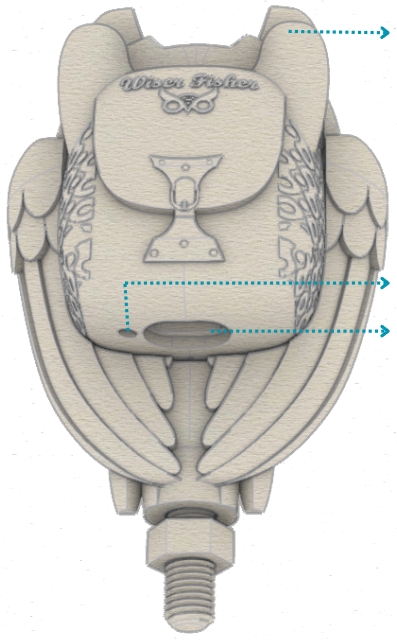
- Mount to a tripod.
- Place the line so it touches the sensor.
- Power on and select a mode.
Mobile App (WiserFisher Bite Alarm): The device can be configured and managed in detail via the WiserFisher mobile app. The app lets you select audible alarm / silent operation, toggle phone vibration, change the operating mode, and customize the phone alarm sound. You can also select/change the Manual Mode beep. With UDM (User Defined Mode), detection behavior can be personalized by tuning sensitivity and filtering allowing you to create an optimal profile for your weather conditions (wind/waves) and your target species / fishing style.
iOS (App Store):
apps.apple.com/us/app/wiserfisher/id6753659488
Android (Google Play):
play.google.com/store/apps/details?id=com.wiserfisher.android
Links may change over time. For the latest download links,
visit www.wiserfisher.com


- Water: Rain/splash resistant; do not immerse. If heavily wet, switch off and dry fully.
- Shock/Heat: Avoid drops, crushing force, deformation, and prolonged extreme heat/cold.
- Charging: Use a standard USB-C (Type-C) cable and a 5V USB power adapter (not included). Do not strain the connector.
- Storage: Turn off when not in use; store in a dry place away from direct sunlight.
- Use: Keep away from children; do not use if the enclosure is cracked or damaged.
This product is covered by a 2-year statutory warranty. Full terms: wiserfisher.com/warranty
Warranty coverage may be affected by:
- Opening/disassembling the device or unauthorized repair attempts.
- Physical damage from drops, crushing force, or deformation.
- Liquid ingress due to submersion or improper drying after heavy exposure.
- Use of chemicals/sprays (solvents, lubricants, cleaners) on the device.
- Damage caused by improper charging equipment or excessive connector strain.
- Any modification to the product or its electronics.
For help, latest manual and app links: wiserfisher.com
Email: support@wiserfisher.com
For warranty & manuals: wiserfisher.com/warranty